מידע בית כנסת
אפליקציית Android · BlumSoft
Synagogue Info
Android app · BlumSoft
המידע של הקהילה על מסך אחד
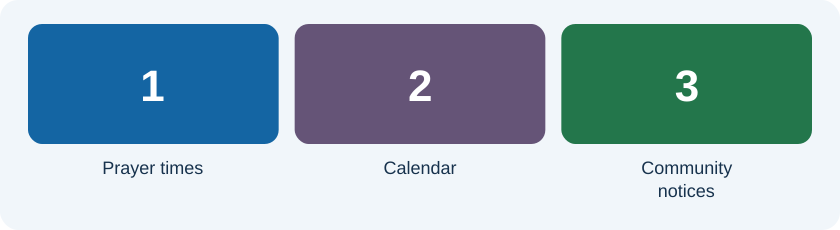
„מידע בית כנסת” היא אפליקציית שילוט דיגיטלי לאנדרואיד, המיועדת להצגת מידע בבית הכנסת על טלוויזיה או טאבלט. היא מרכזת זמני תפילה, זמנים הלכתיים, תאריך עברי והודעות לקהילה, כדי שהמתפללים יוכלו להתעדכן במבט אחד.
מה אפשר להציג?
- זמני תפילה וזמנים הלכתיים לפי הגדרות המקום.
- לוח שנה עברי ותוכן לימוד יומי.
- הודעות, אירועים, אזכרות וברכות לקהילה.
דוגמת שימוש: הכנת מסך לשבת
הגבאי מעדכן את שעות התפילה ואת ההודעות הרלוונטיות, ובודק את התוצאה על מסך התצוגה. כדאי להתחיל מהודעה אחת קצרה ולוודא שהטקסט קריא ממרחק העמידה הרגיל. לאחר מכן אפשר להוסיף הודעות ותמונות נוספות. ניהול התוכן דרך קונסולת הדפדפן מאפשר לעדכן הודעות בלי להקליד על הטלוויזיה עצמה.
מה כדאי לבדוק לפני שימוש קבוע?
בדקו את התאמת המכשיר בחנות, את הגדרות המיקום והשעות ואת קריאות המסך באולם. עיינו בפרטי הגרסה וההרשאות בחנות לפני ההתקנה. התכונות והאפשרויות הזמינות נקבעות לפי הגרסה המותקנת והגדרות המערכת.
עזרה ודיווח תקלה
בפנייה לתמיכה ציינו את דגם המכשיר, גרסת האפליקציה ומה ניסיתם לבצע. צילום המסך הרלוונטי יכול לעזור, לאחר הסתרת פרטים אישיים.
Community information on one display
Synagogue Info is an Android digital-signage app for a synagogue TV or tablet. It brings together prayer times, halachic times, the Hebrew date and community notices.
What can it show?
- Prayer and halachic times using the configured location and settings.
- The Hebrew calendar and daily study content.
- Announcements, events, memorials and greetings.
Example: prepare the display for Shabbat
Update prayer times and relevant notices, then inspect the actual display. Start with one short notice and check readability from the normal viewing distance. Add other notices and images afterward. The browser management console allows content updates without typing directly on the TV.
Before regular use
Check device compatibility in the store, location and time settings, and readability in the room. Review the version details and permissions before installation. Available features depend on the installed version and configuration.
Support
Include the device model, app version and the action you attempted. A screenshot may help after personal details have been concealed.