השתק ושחזר צלצול
אפליקציית Android · BlumSoft
Mute & Restore Ringer
Android app · BlumSoft
השתקה לזמן מוגדר
האפליקציה מיועדת למי שמשתיק את הטלפון לפגישה, לתפילה או ללימוד ורוצה שהצלצול יחזור אוטומטית בסיום הזמן שנקבע. מגדירים את פרק הזמן הרצוי ומפעילים את ההשתקה.
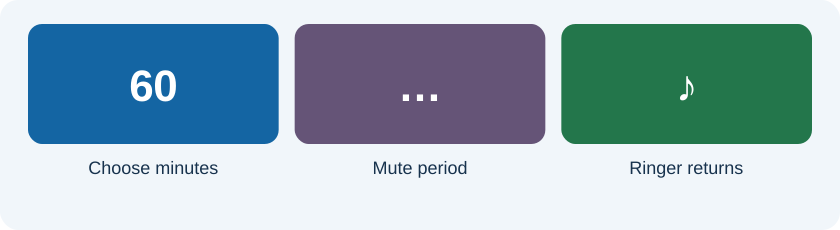
דרכי גישה מהירות
- ווידג׳ט במסך הבית.
- אריח בהגדרות המהירות.
- הגדרת משך ההשתקה באפליקציה.
דוגמת שימוש: פגישה של שעה
לפני הפגישה בוחרים שעה ומפעילים. מוודאים שהמצב הרצוי מופיע בטלפון. בסיום הזמן בודקים שהצלצול חזר. לפני הסתמכות על האפליקציה בפעם הראשונה, כדאי לבצע ניסיון קצר של כמה דקות במכשיר שלכם.
למה ההרשאות חשובות?
הגדרות הצליל, ההרשאות וניהול הסוללה באנדרואיד עשויים להשפיע על הפעולה. השלימו את ההגדרות שהאפליקציה מציגה, ועיינו בהסבר בחנות. אם הצלצול אינו חוזר כמצופה, בדקו את ההרשאות ואת הגבלות הרקע שהמכשיר מחיל על האפליקציה.
מידע לפני התקנה
בדף החנות נמצאים פרטי הגרסה, התאימות, ההרשאות ומדיניות הפרטיות של היישום. האתר הזה מציג הסבר על השימוש; ההורדה מתבצעת ב־Google Play.
Silence the phone for a set time
The app is for meetings, prayer or study sessions where you want the ringer to return automatically after a chosen period. Select the duration and activate the mute period.
Quick access
- A home-screen widget.
- A quick-settings tile.
- Duration selection inside the app.
Example: a one-hour meeting
Choose an hour before the meeting and activate it. Confirm the intended phone sound state. At the end, check that the ringer returns. Before relying on the app for the first time, run a short trial of a few minutes on your device.
Why permissions matter
Android sound settings, permissions and battery management can affect operation. Complete the setup presented in the app and review the store information. If the ringer does not return as expected, inspect permissions and device background restrictions.
Before installation
The store listing contains version, compatibility, permissions and app privacy details. This website explains the use; downloading takes place in Google Play.